
Random Team Generator
Paste names, choose how many teams or how many people per team, and get fair random teams instantly. Add a skill rating to balance teams, a group letter to spread people evenly (for example, year groups or departments), pick random captains and fun team names, and reshuffle until you are happy. Print the teams or copy them into a message.
- Free to use
- No sign-up
- Runs in your browser
Random team generator
Team Organiser Pack
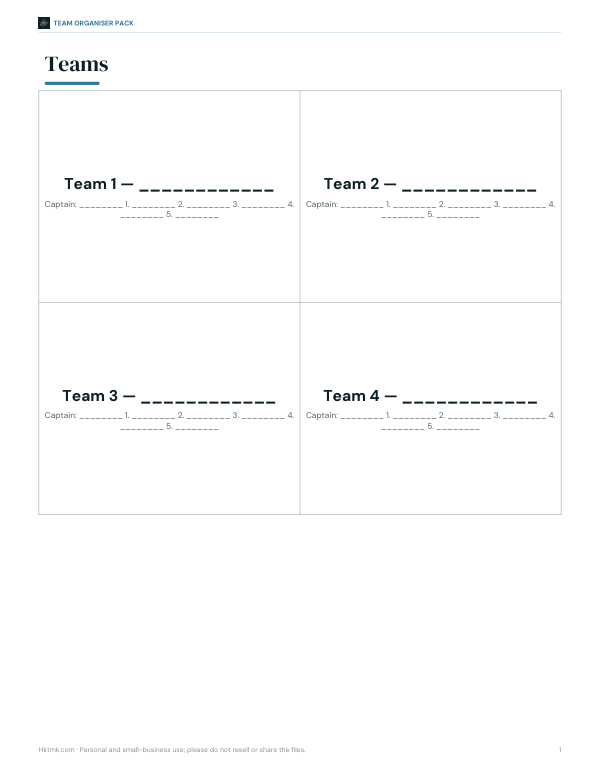
Printable team sheets, a round-robin tournament schedule, a scoreboard, team name cards, and an Excel team balancer that splits a list by skill.
- Team sheets (PDF)
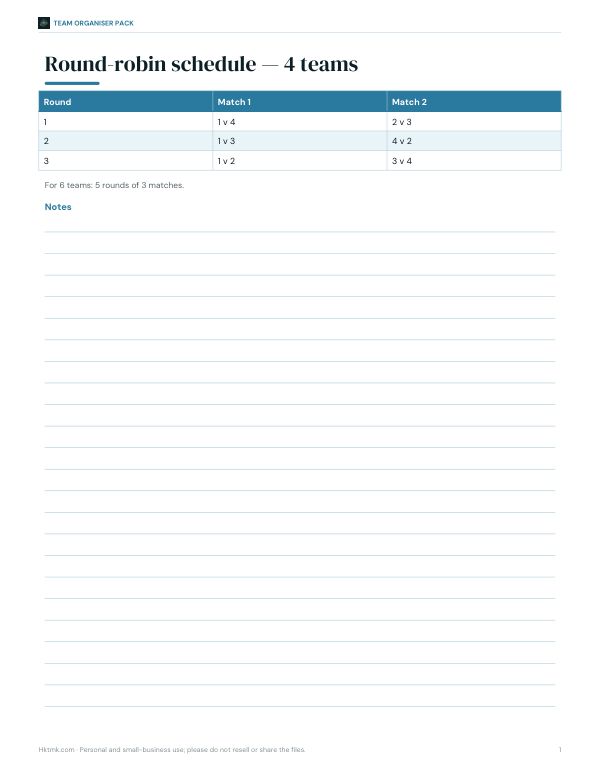
- Round robin (PDF)
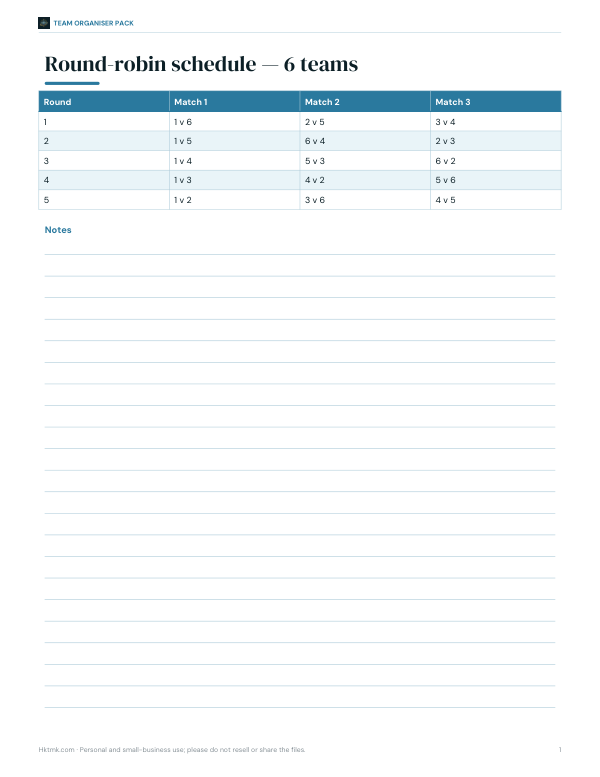
- Round robin 6 (PDF)
- Scoreboard (PDF)
- Team balancer (XLSX)
Formats: PDF, XLSX. Instant download after payment (link valid 72 hours, up to 5 downloads). AI-assisted: the templates were drafted with AI help and reviewed and laid out before publishing.
$5.00 USD, one-time 5 files · about $1.00 each
- Instant download
- 7-day refund
- Secure checkout by Stripe
7-day money-back guarantee. Full refund within 7 days of purchase, even after you download.
Free sample: Round Robin 4 Teams (PDF, 61 KB)
Full refund within 7 days — see the refund policy and license.
Free printables
Single sheets you can print right now, no sign-up. The full pack adds every sheet in one download plus the editable files.
 Printable Team Scoreboard Chart
 Printable Team Balance Sheet
Three ways to split
| Method | How it works | Best for |
|---|---|---|
| Fully random | Shuffles the list and deals names into teams like cards | Quick games, icebreakers, fairness without argument |
| Balance by skill | Sorts by skill and gives each person to the team with the lowest total (and fewest members) | Sports, quizzes, hackathons |
| Spread groups evenly | Deals each group across the teams in turn | Mixing classes, departments, year groups or genders |
How to use it
- Paste names, one per line. Add a skill number and a group letter after vertical bars if you want balancing.
- Choose whether to set the number of teams or the number of people per team.
- Choose the method and team naming style.
- Tick captains if you want one picked at random in each team (★).
- Press “Make teams” — press again to reshuffle.
- Copy the teams into a chat, print them or download a CSV.
How the balancing works
Skill balancing uses a greedy “lowest total first” method: players are sorted from highest to lowest skill (ties shuffled), and each is added to the team that currently has the fewest members and, among those, the lowest total skill. It is quick and usually produces totals within a few points of each other. Group spreading deals each group across teams in turn, so a class of 30 from three year groups ends up with a similar mix in every team.
Worked example
The sample list has 12 people with skills from 3 to 9 and two groups, A and B. Choosing 3 teams with “Balance by skill” gives three teams of four whose skill totals are at or very close to 24 each (the whole group totals 72), depending on the shuffle. Switching to “Spread groups evenly” gives each team two people from group A and two from group B.
Uneven numbers
If the number of people doesn’t divide evenly, some teams get one more member. Choose “people per team” when team size matters more than the number of teams — for example, 5-a-side football with 23 people gives five teams, three of 5 and two of 4. Rotate the extra player in or give smaller teams a small advantage.
Ideas for using random teams
- PE lessons and sports sessions
- Classroom group work and projects
- Pub quizzes and trivia nights
- Office team-building and workshops
- Board game nights and tournaments
- Secret missions, scavenger hunts and escape rooms
Team sizes for common activities
| Activity | Typical team size |
|---|---|
| Classroom group work | 3–5 students |
| Pub quiz | 4–6 players |
| 5-a-side football | 5 plus substitutes |
| Basketball (full court) | 5 per side |
| Volleyball | 6 per side |
| Hackathon | 3–5 people |
| Escape room | 4–6 people |
If you know the ideal size, choose “People per team”; if you know how many teams you need — for example, one per court — choose “Number of teams”.
Getting good skill ratings
Balancing is only as good as the ratings. Keep them simple — a 1 to 5 or 1 to 10 scale — and rate on the skill that matters for the activity. For mixed abilities, it can help to rate a few people first as anchors (a 3, a 6, a 9) and compare others against them. Avoid sharing ratings with players; the goal is balanced games, not labels.
Running a tournament
Once teams are made, the printable pack includes round-robin schedules for 4 and 6 teams and a scoreboard. In a round robin every team plays every other once; award 3 points for a win and 1 for a draw, and use the scoreboard to track totals. For larger groups, split into pools and finish with knockout games between the top teams.
Tips for teachers
- Use group spreading to mix friendship groups or tables.
- Balance by skill for competitive games so every team has a chance.
- Show the generator on the board so students see the teams are random.
- Keep the CSV to rotate roles fairly over the term.
- Reshuffle for each new activity so students work with different classmates.
Fairness and transparency
Randomness uses your browser’s cryptographic random number generator, so every arrangement is equally likely in fully random mode. To show fairness in a group, project the screen and press the button once, or let someone else press it. If you need to recreate teams later, copy or download them.
Privacy
Names never leave your device — everything runs in your browser.
Frequently asked questions
How do I make random teams?
Paste names, choose the number of teams and press Make teams.
Can I balance teams by skill?
Yes, add a skill number after each name and choose Balance by skill.
What if the numbers don’t divide evenly?
Some teams get one extra member.
Can I keep groups spread across teams?
Yes, add a group label and choose Spread groups evenly.
Can I pick captains?
Yes, tick the captain option to pick one at random per team.
Can I reshuffle?
Yes, press Make teams again for a new random split.
How many names can I enter?
Hundreds — the generator handles large lists instantly.
Is the randomness fair?
Yes, it uses the browser’s cryptographic random number generator.
Can I keep two people on different teams?
Give them the same group label and choose Spread groups evenly.
Can I use it for a secret Santa?
It makes teams rather than pairings; for gift exchanges, use a dedicated draw tool.
Does it work on phones?
Yes, it runs in any modern mobile browser.
Are names uploaded?
No, everything stays in your browser.